Posts

Showing posts with the label Management Reporter

How to Publish Management Reporter Reports to SharePoint

Image
Recently I was asked to integrate Management Reporter reports to SharePoint Foundation 2010. With Management Reporter 2012 , it's quite simple to achieve.   All you have to do is to follow the steps below   1. Go to SharePoint site and create a document library .   2. Assign site permissions for the people who need to see the reports. Also provide Design and contribute permissions to the Management Reporter process service user .   3. Go to Management Reporter and choose the report from report definitions you'd want to publish to SharePoint.   4. Click  Output and Distribution tab from the report definition.      5. Check  Generate to multiple report library locations and add the SharePoint document library link in Related Report Link location as shown below.     6. If you want this report to be automatically publishing to SharePoint, You can setup a report schedule in Report schedu...
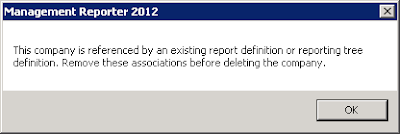
Deletion of company in Management Reporter

Image
One might see this error when attempting to delete a company in Management Reporter Configuration console .   "This company is referenced by an existing report definition or reporting tree definition. Remove these associations before deleting the company" For those who aren't aware as to how to delete or create a company in Management Reporter , It happens through configuration console which only Administrators can see that.   The first step of troubleshooting is to go and see if any existing report definitions or reporting tree definitions linked to this company.Change those definitions to other companies so that those references to the company in question are removed, if any.   There might be occasions where the company cannot be deleted despite no visible references in the definitions.   To troubleshoot this, Go to Management Reporter service logs in the configuration console. ...

Management Reporter Migration: My Take

When I had the first look at the management reporter, I’m quite impressed with its clean interface. I still remember when I wanted to install this piece of application on my Lenovo T410 ThinkPad, I was at home. I thought it is another windows executable straight installation. I was wrong and quickly realized it requires an active domain presence to even install it unlike other Microsoft applications which strictly ask for domain, but still allow us to install on a computer enabled with domain not necessarily asking us to be connected to the network. One such example is Dynamics AX. Not necessarily all customers working on Dynamics GP own a domain network as they feel comfortable with a workgroup environment. Neither Dynamics GP nor the traditional FRx software forced them to upgrade the network to a domain till date and both of them proudly tell the customer to feed them with a domain and happy with wherever they are dumped. Thanks to their simplicity and modesty. However, FRx, sho...

Management Reporter Failed reports Queue cleanup

If you ever come across an issue where you cannot remove the queued reports (failed) from queued status, follow the approach suggested here . In addition to this, enjoy the two tips below 1. If you wonder how you can connect to MR when away from a domain network, the best solution would be to connect to your domain through a vpn connection. Once it is connected through a vpn to your domain, it works the same way as you are within domain. 2. When you run the reports in MR Report designer and if you see the reports are just queued and not processing further to view the reports, then the culprit might be the Management Reporter Process service. Go to Start | Run | Services.msc, locate Management reporter process service and start the service.

Management Reporter Feature Pack 1 for Dynamics GP Released

Image
Management Reporter Feature Pack (FP) 1 is released for Dynamics GP and now available for download. This is good music to those using the Management Reporter and waiting for currency translation support. I have installed MR on my PC but could not get an opportunity to work on it in detail so far as it fails to connect outside the domain. (Image source: reese-consulting ) More information on this release can be obtained from this blog entry. Related Blog Posts on Management Reporter: Management Reporter Feature Pack 1 is now available! Management Reporter – Product Road Map Quick Post- Why I love Management Reporter In the trenches with Management Reporter

FRx to Management Reporter Migration

If you are looking to migrate from FRx to Management Reporter, There is an inbuilt migration wizard in Management Reporter to do the same. I don’t need to specify the steps involved in the migration process as it has been covered in much detail elsewhere on the blogosphere. Here is a perfect link to accomplish the same. FRx 6.7 to Management Reporter Migration However, Hold on before running the wizard if you are on Management Reporter RTM edition. If you are running Management Reporter RTM edition for Dynamics GP 2010, you’d run into an error that says ' Windows Authentication is not supported for Microsoft Dynamics GP’ . I heard this occurs even if you choose SQL Authentication. If you observe the event logs, it might be like this   Message: Microsoft.Dynamics.Performance.Reporting.DataProvider.Service.DirectLinkException: Windows Authentication is not supported for Microsoft Dynamics GP ---> Microsoft.Dynamics.Performance.DataProvider.GeneralLedger.GLConnectionException...

Management Reporter on Workgroup

For those who are looking to run Management Reporter on a workgroup machine, this is something to make note of. Management Reporter doesn't work on Workgroup or when we disconnect from the domain network. When we disconnect from a domain network, we get the error message saying "can't connect to MR Server". Once we connect back to the domain, it works normally. Until Next Post....